Posts

Showing posts from December, 2022

This Year In TheTechBoy Podcast

Image
Hello, this is TheTechBoy with This Year In TheTechBoy!!

Aukey 18 Watt Power Delivery Wall Charger Review

Image
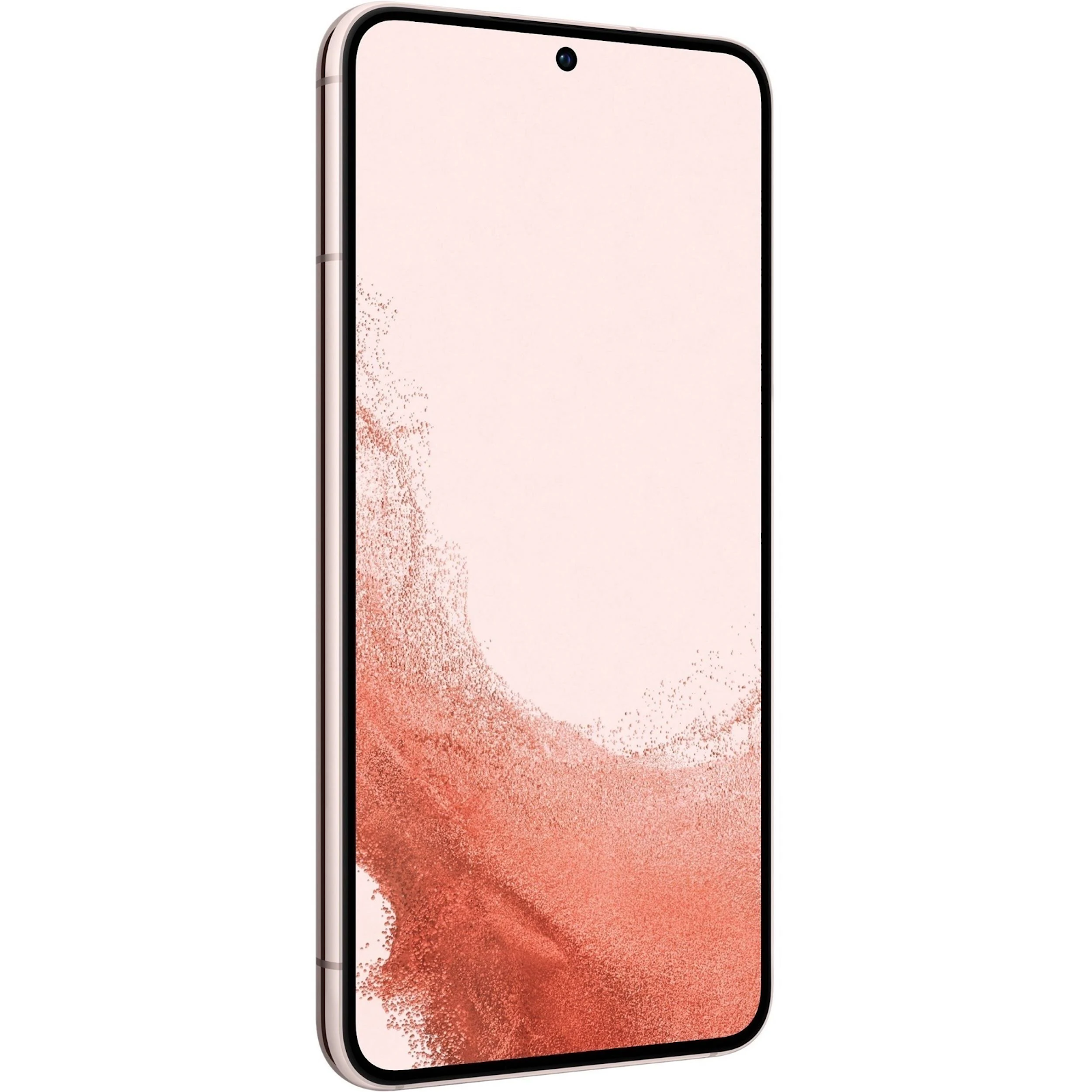
     Hello, this is TheTechBoy with a review of the Aukey 18-Watt Power Delivery Wall Charger. Thanks to Galaxy Tech Review for the device. I spent a couple of minutes with the charger testing it with my Samsung S22 Plus and the LG V40.  Design:      The design of the charger is really minimal. It is a small white cube and the prongs fold into the device. On the front side, there is a small USB-C port. This means you need a USB-C to C cable to use the charger. This gives you the ability to take advantage of the fast 18-watt speeds.  Charging:           Obviously, the device does not charge as fast as my 25-watt Samsung charger, but it is smaller than it. It only takes a couple of minutes more than the 25-watt Samsung charger, but due to its size, it is perfect for use on the go. It works with all USB-C devices. It even charged my Hohem Gimbal it does not work with my Samsung 25 Watt Charger. Should You Buy It? ...

T-Mobile Tuesday LED Headlamp Review

Image
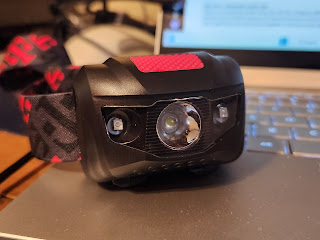
Hello, this is TheTechBoy with a review of the T-Mobile LED Headlamp.      Design:       The headlamp has four modes: a bright white light, a light dimmed, a red LED, and a blinking red LED. The white LED comes from the middle of the device and the red LED's come from the side of the LED. On the top of the light is a pink button made out of textured rubber. There is a pink headband, and you can tilt the light down from your head. The headlamp is powered by three triple-A batteries. There is a reproductive harm warning on the box. Fit:      The elastic band can fit around my head. The elastic band stretches so it can fit different-sized heads so other people can fit it. Because it is elastic, it squeezes your head and it could cause a little pain. You can put it on your hair but the angles would be off.  Functionality:     The LED white light is bright enough to be visible in a room with a light turned on. The re...

How to take a Selfie Hands Free On A Samsung Phone

Image
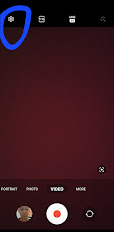
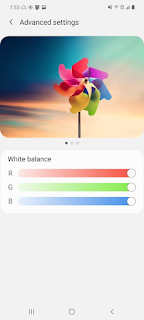
Hello, this is TheTechBoy with a special tutorial. Step 1:     Open the Camera application and click the gear icon at the top left corner of the application.  Step 2:      Scroll down to the text that says "Shooting Methods." Tap that. Step 3:       Click the toggle that says show palm.  Now you can take pictures with the palm                 Enjoy!!    Flip to the front-facing camera, hold out your hand and take a photo. This also works for recording video on the front-facing camera. It also works in portrait mode.  Happy New Year, God Bless and Tech Talk To You Later/11  

This Week In TheTechBoy + Podcast

Image
Hello, this is TheTechBoy with This Week In TheTechBoy  What Is TheTechBoy      TheTechBoy Talks about what makes TheTechBoy special.  Hello, this is TheTechBoy with an overview of what TheTechBoy is and what we represent. 5 Things I want to see in the S23 Plus. I want to see a Micro SD card slot? What else do I want to see? Samsung put a 1080p display in the S22. This is okay until you compare it to the OnePlus 7 Pro and the LG V40 phones -- both launched in 2019. Those phones have 1440p displays, and when I tested them against the S22 Plus they looked brighter. Also, reintroduce the screen settings menu to the S22 plus. Also please add support for an SPen digitizer.  I Used Sidekick Browser For A Week!!     This seemed like a nice browser. Is it good enough for your needs?   The browser looks at the web as a set of applications. On startup, you can set up some applications such as Instagram, Figma, the Google suite of applications, and...

Notthebee Social Review

Image
Hello, this is TheTechBoy with a review of Notthebee.com's  Christian social media site.  Edited: Added information about groups and changed some grammar Dec 24: 2022 Dec 26 2022: Added info about mobile loading. Sign Up:      Notthebee requires you to create an account to comment on their posts and to get access to the Social platform. I created an account to promote my business TheTechBoy. Creating an account is easy - just click the Join button. There are two plans, a Free thirty-day trial plan, and 7 dollars and fifty cents USD. (Monthly) The paid plan allows you to post images and videos.  Social:     I used the free plan until someone gave me a Guest account. This allowed me to stay on for longer and gave me the ability to post images and videos. The site sends you email notifications every hour that tells you if people replied/reacted to comments or social posts. There is also a bell on the side of the web interface that shows you your noti...

I Interview Twinfolk Tech

Image

I Used Sidekick Browser For A Week!!

Image
Hello, this is TheTechBoy with a special review of the new Sidekick Browser. Sidekick browser is a new browser that is supposed to look at the web in a different way.  What is Sidekick?      The browser looks at the web as a set of applications. On startup, you can set up some applications such as Instagram, Figma, the Google suite of applications, and Notion. They also claim it is faster than Chrome and is 'privacy-friendly.' Your applications are docked to the left side of your screen, and there is a toggle that can turn it off.  Features:      You can make tabs and links into 'apps', and Sidekick has an 'app store' that allows you to add apps like Google Messages, Github, Asana, and more.  There is a built-in adblocker and it can show tabs side by side.  Day to Day:     This browser has a minimal learning curve if you have used Chrome for a long time. The only new visible features are the sidebar and the dual tab icon. The s...

5 Things I want to see in the S23 Plus.

Image
Hello, this is TheTechBoy with what I want to see in the S23 Plus.  I wrote an S22 Plus Review here.  Screen:     Samsung put a 1080p display in the S22. This is okay until you compare it to the OnePlus 7 Pro and the LG V40 phones -- both launched in 2019. Those phones have 1440p displays, and when I tested them against the S22 Plus they looked brighter. Also, reintroduce the screen settings menu to the S22 plus. Also please add support for an SPen digitizer.   Yes I know this is from the A71 5G Battery:      The battery life on the S22 Plus is ok. It could be better. Just put a 5,0000 mAh cell in it, and a more efficient chip in the phone, and the battery life should be better. I want to see 7 hours of screen on time.  Storage:     Bring back the MicroSD card slot.  If you don't want to do that, make the base storage model at least 256 GB of storage. No 128 GB of storage, this I not good enough anymore, especially f...

What Is TheTechBoy

Image
Hello, this is TheTechBoy with an overview of what TheTechBoy is and what we represent.       TheTechBoy was founded in July of 2020 because I wanted a phone and devices and gadgets to test. One of the recommended ways to do that was by starting a blog.  TheTechBoy quickly grew and with not that many devices to test (other than my A71 5G) we did tutorial articles and news articles such as What is Windows 11 and  The Z Flip Article       Throughout this TheTechBoy stayed true to its Christian roots, by offering a salvation message if you went to an error page on TheTechBoy. Also, we have a Verse of the Day page. Test this by visiting this link. thetechboy.org/g . However, the This Week In TheTechBoy podcast had not started yet.  Cosmo Communicator Review       In the spring of 2022 TheTechBoy got its first device to test. The Cosmo communicator. I tested that device so well that it had over 3,000 words on the...

This Week In TheTechBoy + Podcast Ep 19

Image
Hello, this is TheTechBoy with a This Week In TheTechBoy!!!   Dictionary of Phone Tech:     A list of tech terms that the average consumer may not know about.  This will be linked with articles to help people understand the tech in their phones.  In-depth S22 Plus Review:     Exert:  Hello, this is TheTechBoy with a review of the Samsung S22 Plus. I got this S22 Plus as an upgrade from T-Mobile. I got the device on Android 12, updated it to Android 13, and November to December security update. The Samsung S22 Plus is Samsung's latest 2022 flagship. It is in the middle of the S22 and the S22 Ultra. There is a 6.6-inch, variable 120 HZ OLED screen, a three times optical zoom camera, and a 4,500 mAh battery.  Podcast:

Dictionary of Phone Tech

Image
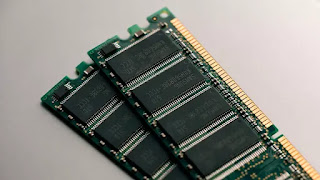
     Hello, this is TheTechBoy with a special post. I know I have some fans out there who need a little help with technology, but still want to read my content so here is the Dictionary of PHone Tech Terms for you.                                                                     Basics:  RAM: Ram stands for Random Access Memory, when you open an application on your phone and leave it, this keeps the application open. This means if you go back to the application, then it will open faster. If you are buying an Android phone for basic use you want maybe 4-6 GB of RAM for basic use. If you like to have many applications open maybe look for a phone with 6-12 GB or Ram. Do not buy more Ram than you need and the extra is just wasted.  Sticks of RAM GB: How phone storage is measured. GB stands for Gi...

In-depth S22 Plus Review

Image
    December 14:, 2022 Updated GPS to add more information.    Dec 20 : Updated Screen Section Dec 22: Added ADB notification notice. Dec 23: Addded Notifications In Bold       Hello, this is TheTechBoy with a review of the Samsung S22 Plus. I got this S22 Plus as an upgrade from T-Mobile. I got the device on Android 12, updated it to Android 13, and November to December security update. The Samsung S22 Plus is Samsung's latest 2022 flagship. It is in the middle of the S22 and the S22 Ultra. There is a 6.6-inch, variable 120 HZ OLED screen, a three times optical zoom camera, and a 4,500 mAh battery.  The phone sometimes forgets to vibrate for notifications in my case.  Source: Google Call Quality:       This device has a great loudspeaker for calls. Calls sound loud, and although it does not have any AI-assisted features like Google's Clear Calling, to blur out the background noise, if somebody is speaking into the ph...

Now Announcing Team13

Image
Hello, this is TheTechBoy with a special post. Update:Grammar and spelling Last week, on Twitter I announced the start of Team13. This is the blog post to go along with it. https://unsplash.com/@redaquamedia   What is Team13?   Team13 are children/teens that use non-IOS phones in the US. The reason it is called Team13 is that about 87 percent of teens with phones want to buy/have an iPhone as their primary device.  How to Join:     If you have/want an Android/Non-IOS phone, congratulations 🎊 you are on the team. Come back to this post for more updates, and comment to give ideas for Team13. God Bless and Tech Talk To You Later!!!

This Week in TheTechBoy + Podcast Ep 18

Image
Hello, this is TheTechBoy with This Week In TheTechBoy. How to See CPU and GPU Performance on Android 13: No App      Hello, this is TheTechBoy with a unique article. I was playing around on with the Developer settings of my S22 Plus, and I found this method. First, you have to enable developer mode.  Tell me does this work on non-Samsung devices? Three Secure Folder Bugs In One Ui 5 Will these bugs ruin One Ui 5 and Android 13? Nope, but it is annoying.   Podcast:  

How to See CPU and GPU Performance on Android 13: No App

Image
Hello, this is TheTechBoy with a unique article.       I was playing around on with the Developer settings of my S22 Plus, and I found this method. First, you have to enable developer mode.   How to Enable Developer Mode:     Open your settings application,  then scroll down to About Phone. Then click Software Information. Then tab the build number seven times. It will make you put in your phone's password. After putting it in, go back and you will see a new option called Developer Options. See the CPU and GPU Usage:     Scroll down, then click GPUWatch. Enable it by clicking the toggle. It will show the FPS, Load, and some of the information. You can add some more actions by clicking the plus icon. Then you can show the widget over the screen.  Your notification shade will allow you to hide or turn off the widget. That is all. Does this work on all Androids? Or just Samsung?  God Bless and Tech Talk To You Later!!  ...

Three Secure Folder Bugs In One Ui 5

Image
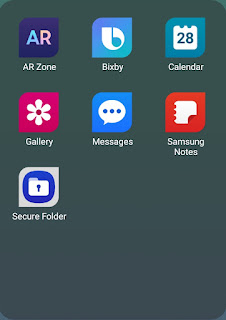
Hello, this is TheTechBoy with a list of Secure Folder  bugs in One Ui 5. Secure Folder PIP: Samsung secure folder is where I have my business Gmail account and watch youtube. In Android 12 and the One Ui 4 series, I was able to watch YouTube in the Pictued is Picture window, while using other applications in Secure Folder and also inside the normal phone. Now I have to watch YouTube videos in pop-up mode. Secure Folder Passwords: Now to be fair, this was a bug in One Ui 4, but if I unlock my phone, sometimes Secure Folder says that I have to input my password when I can just use my fingerprint to log in. This can be circumvented by going home and opening Secure Folder again, but it is still annoying. Also with Secure Folder "lock when I exit an app" mode when I try to open Zoho mail with (app lock turned on) from a notification, the application closes and I have to go into Secure Folder unlock it and open Zoho Mail again.  Secure Folder Samsung Email: I like Samsung's ...

This Week In TheTechBoy Podcast Ep 17:

Image
Hello, this is TheTechBoy with This Week In TheTechBoy.  Five Features of One Ui I like: Number 1 Android 13/One Ui Password      Passwords : I recently updated my Samsung S22 Plus to Android 13. I recently discovered that the phone supported a multidigit password that is longer than sixteen digits. This is great because it seems like it also seems like that it also carries over to Samsung Secure Folder. Hohem iSteady X Gimbal Will not Connect to Phone      Hello, this is TheTechBoy with a particular tutorial.     I recently bought a Hohem iSteady X Gimbal and tried to connect it to my phone. The device would not stay connected to my phone, and I was so frustrated.  Will I solve it? Juan Bagnell Some Gadget Guy Interview Click the link to see the interview.  Podcast:

Juan Bagnell Some Gadget Guy Interview

Image
Hello, this is TheTechBoy with a special interview.