Posts

Showing posts with the label News

How To Change Samsung News to Google News Feed.

Image
          Sometimes you may want to change up your news feed. I like to set mine to Samsung News because I can access the Discover Feed from the Google app. But if you want a more native feel on your Samsung phone, you can do it in just a few simple steps. Go to your phone’s home screen and pinch in (or press on an empty area of the screen) like you’re about to change the wallpaper. Swipe right. This will bring up a setting that asks what you want on the media page. Select Google Discover and then press the home button. God bless and Tech Talk To You Later!!!

Watch The NEWS For Free On A Samsung Phone

Image
Sometimes you may want to watch the news without paying for it. Samsung TV offers a way you can do that legally and safely. In this article I will list all the news channels you can get on the Samsung TV mobile application. 1.       Search for the application. It does not appear that Samsung News is coupled with Samsung TV anymore so be user to pin the application to your home screen if you want easy access. After an update Samsung dropped the word Samsung from their applications so the app’s official name is TV. 2.       After opening the app click the live TV button at the bottom and click the tap at the top that says News and Opinion. Here is a list of the channels. a.       CBS News 24/7 b.       ABC News Live First c.       NBC News Now d.       LiveNOW from FOX (not the cable version of FOX News) This is just a live strea...

First Perspective On Freespoke: New Trends Bad Layout

Image
     Another year another alternative search engine. This year it's Freespoke that dares to challenge Google has interesting features...but falls a bit short.      Freespoke.com is a freemium search engine that has Ai article summarizing, marks search results as 'left' 'center', and 'right', and offers video search search with filters for YouTube, Rumble, TikTok , Vimeo, and Facebook.  It has a decent image search, and its AI summarizing is decent,  but  its search results are badly organized.       This search engine attempts to merge new search trends with old search layouts. This is demonstrated by searching for a search team. I searched the Texans, and instead of organizing news articles in a cluster, having an X carousel underneath, and showing a score box on top, Freespoke just shows the Quick Match (one link) AI summary and just random blue links in a row.         When I did a search for The...

We Know What X Is Already!!!

Image
Hello, this is TheTechBoy with a rant.       It has been about three months since Twitter rebranded to X. Now every article in the news when referencing 'X' will say, "Bob posted on X (formerly Twitter)....."  It is in every news article that you can see. Just search "on X formerly Twitter" in quotes or "formerly Twitter" in quotes in a search engine and you will see articles with these words.  Source BBC     Why?!!? We know what X is. It has been three months. The rebrand has probably been memed and criticized for months. This seems like a big trick journalists are pulling on us. Just stop it, please? What do you think?  God Bless and Tech Talk To You Later!!

What does the Capitals win over the Panthers mean for Tech.

Image
Hello, this is TheTechBoy with an intriguing article.      In the NHL playoffs, the Capitals beat the Flordia Panthers 6-1 in the Stanley Cup Playoffs. While this may seem like a diversion from our different reporting this is actually a very interesting development in technology that has happened because of this.  Source: https://unsplash.com/@markusspiske      Last year, we did an article about Alexa's favorite things , including sports teams. The Washington Capitals were listed in that post as Alexa's favorite hockey team. However when I asked her, "Who is going to win the Stanley Cup," she gave an answer about her favorite team not being in the NHL playoffs, and that she had not yet picked a team. This may come as a shock to you because a year ago the Capitals were her favorite team. The reason for this change is the new team in Alexa's hometown, Seattle. The new team is called the Kracken, who are based in her hometown, instead of her home state....

The Number One Underrated Missing Feature of Windows 10

Image
 Hello, this is TheTechBoy with a special report.      Windows 10 had an underrated feature that is missing in Windows 11. This feature was one of my favorite features and would appreciate seeing this in a new build of Windows 11. https://unsplash.com/@windows      Windows 10 allowed users to press volume up (or down) and a media player would come onto the screen. It would allow you to see what media was playing, and pause it. It would also allow you to switch media if you had another song, video, podcast, or audio drama paused in a browser tab. In Windows 11, you cannot do this. This may not be as important and Live Tiles or changing the taskbar, but this is a feature I would like back in Windows 11. Thankfully Windows 11 has many great features, you can read about them here. Tech Talk To You Later!!

Windows 11 features a QR code scanner.

Image
  Windows 11 QR code scanner:      Windows 11 has a new feature in its camera application. I am running Windows 11 version 22000.556 in the developer channel on a Samsung Galaxy Book Flex Alpha. The camera application has a QR code scanner. How To Access Scanner? 1. Make sure you are on the correct build. Do this by doing Windows Key + R and typing “winver” 2. Open the camera application. If you do not see the QR code icon, check for updates. 3. If you see the QR code-shaped icon , click it!! This QR code scanner is an interesting feature. If you ever have a physical QR code on a printout at a coffee shop or another location and do not want to pull out your phone to scan it. Tech Talk To You Later!!  

BlackBerry end of life.

Image
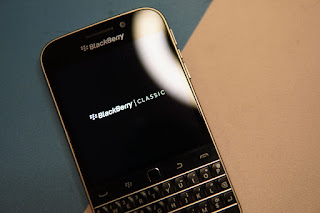
Hello, this is TheTechBoy with an important report.  According to Blackberry, "the legacy services for BlackBerry 7.1 OS and earlier, BlackBerry 10 software, BlackBerry PlayBook OS 2.1 and earlier versions, will no longer be available after January 4, 2022. As of this date, devices running these legacy services and software through either carrier or Wi-Fi connections will no longer [reliably function] , including for data, phone calls, SMS and 9-1-1 functionality." Emphasis added. According to BlackBerry, @myblackberry.com has also reached end of life. Find out more here . It does not seem like BBOS devices will cease to function, but the devices SHOULD NOT BE USED FOR DAILY USE because the devices may be unreliable to perform even basic functions. Also, 911 calling may not work and it would not be a reliable backup phone. Some BBOS devices may also be affected by the 3G shutdown in the US and its mobile data functions would not work at all. BlackBerry phones are at En...

Windows 11 Released

Image
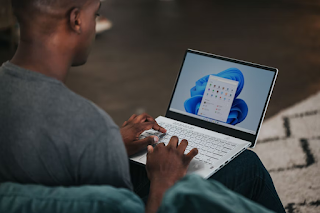
   Hello, this is TheTechBoy with some news.      Windows 11 has been released and it is a minor update over Windows 10. New things include Teams and the taskbar front and center. Live Tiles have been done away. Windows 11 Home needs a Microsoft account and Wi-Fi to set up, similar to a Chromebook needing a Google account and Wi-Fi to set up. In all, this is not a major update.      Will Windows 11 continue the tradition of every other Windows version being bad? Or will it be very successful like Windows 7? Windows 7 was only a small upgrade over the much-hated Vista. We will see.        Remember, Windows 10 is still a good and secure operating system. Not everybody should update from Windows 10 to Windows 11.        However, if you are running Windows 7 or and version below that, even Windows XP, we strongly recommend you to update your computer to Windows 10 now. If your hardware cannot support it, buy a n...