How to Activate The Built In OCR: Windows 11
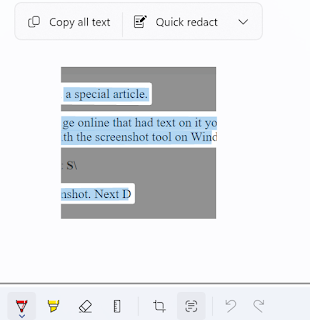
Hello, this is TheTechBoy with a special article. If you have ever seen an image online that had text on it you may have wanted to extract the text. Usually, you had to use an OCR tool but this tool is built in. Today I will show you how to do it with the screenshot tool on Windows 11. First, press Windows key Shift S. This will activate your screenshot. Next, draw a box to take your screenshot. Finally, click the snipping icon that pops up. When you click this you will see a square button next to the crop button. When you hover over it, it should say 'Text Actions.' Click this button. It will think for a few seconds and highlight the text. You can copy all the text or just highlight the text you want. God bless and Tech Talk To You Later!!!
