Posts

Showing posts from October, 2023

Boogie Board Jot Review

Image
     Hello, this is TheTechBoy with a review of the Boogie Board. Kent Displays sent this to me for review. This display has been battle and backpack tested over one month. This is my full review.        The Bookie Board is a small display that you can write on with its built-in stylus. However, the display does not need any batteries to run no does it need its special stylus. You can draw on it with your finger, a spen, aluminum foil, etc. Of course, you run the risk of scratching the display when you draw with other things than the stylus.      Speaking of the display its default and only color is green. However, when you color around the edge of the display sometimes you get a blue color. It is possible to fully color the display but it takes a lot of work. There is no erase option, unlike its larger sibling, only a delete option that deletes the entire screen.      The tablet is durable, however, the screen does h...

Alfa AWUS036ACM External USB Adapter Review

Image
    Updated Info About Compatibility and Hacking:   Hello, this is TheTechBoy with a review of the Alfa AWUS036ACM. Alfa sent me this adaptor to review and this is my honest review after testing the speed and range on my home WiFi network. This review was done on a Windows 11 laptop. The USB supports USP 3.0 (and it has an included extension USB cable I just plugged it straight into my PC) and supports WPA3, Windows 11, MacOS?? and Linux. This Adaptor Does Not Support Monitor Mode Or Packet Injection!! It Cannot Be Used For Hacking.    Update Alfa says that it can but we have not found a way yet.  https://wikidevi.wi-cat.ru/Mt76     With those disclaimers out of the way, the first thing you must do is assemble the antenna and download the software. The software is provided in a link inside the box. Make sure to type in the link correctly, unzip the file, and install the MediaTek software when the screen asks you to. You MUST install this if you wa...

How To Make A News Ticker Effect On Your Phone

Image
Hello, this is TheTechBoy with a special tutorial. Update: Added Keyframing info.      Have you ever seen a news ticker when watching the news? I was thinking about this as I am tasked with creating the news videos for school. Well, I developed a technique that allows you to do so in Alight Motion and some video editors.   The Raw (GIF) File Of The Image     First, open Alight Motion and put a rectangle in towards the bottom of the screen. You can import a shape by pressing the big plus button. Then stretch the rectangle across the entire screen. Next, add some text to the screen and move the text to the left side of the screen.       In order to get the text to scroll, click the diamond button with a plus to make a keyframe. Then click the move and transform button move the text in small increments leftward then scroll the timeline. Keep doing this for about 1 second video time. (You can make the text and rectangle duration last as...

I'm Sorry Android Users...I Can't Use Google Messages

Image
Hello, this is TheTechBoy with a special article.  UPDATED 10/21/23 To correct error.      Google Messages brings RCS to Android phones. This turns a linear SMS-based conversation into a  more modern chat-based conversation. Think Slack or Discord features such as reactions or replying to specific messages but in text form!! However, for some weird reason, Google Messages is the only application that supports that.  Source Google     Fine, I thought, I do not want to deprive my Android Team13ers of the chat experience they deserve so Ill switch from Samsung to Google Messages. It still has Bixby integration so everything will be fine right? Right!!!??? Nope!!     Google Messages does bring great features such as Voice message transcription and auto-delete of OTP and great Spam protection. However, the customization features are horrible. In Samsung Messages, you can change the color of all your chats chat, assign a notification sound to...

Bixby Needs To Get Better!!

Image
Hello, this is TheTechBoy with an exclusive article.      Samsung, the leading Android phone manufacturer, boasts its very own virtual assistant - Bixby. As many of you are aware, I'm a staunch supporter of Bixby and believe it should stay. However, it's crucial that Bixby enhances its primary function, which is device control. While Google Assistant excels in handling general queries, Bixby should shine in the realm of device control, especially now that it's capable of working offline. Unfortunately, I've encountered a few stumbling blocks, particularly when trying to send an SMS. For example, when I initiate with "Hi Bixby," there's often a noticeable delay in its response. Furthermore, if I instruct it to "Text Dad I like Samsung," it may occasionally respond with, "I can't find 'Dad I like Samsung' in your contacts." This forces me to break the command into two parts by first saying "Text Dad," waiting for a r...

PowerUp 4.0 Review: The Potential Is there

Image
Hello, this is TheTechBoy, and I'm excited to share my review of the PowerUp 4.0 Drone.      PowerUp provided me with the drone and an assembly kit a few weeks ago. To ensure a proper test flight, I had to find an open field, as flying it indoors or in small spaces like a backyard is not recommended.           Assembling the drone proved to be a bit confusing at first, but PowerUp offers helpful instructions in the form of a YouTube video. With just paper, scissors, and a bit of tape, I was able to successfully put it together. If you follow the video step by step, you can complete the assembly in under thirty minutes.      The drone's mobile application is available for both IOS and Android, and the device is charged via Micro USB (which might disappoint some). Pairing the application with the drone can be a bit finicky, but after a few tries, it stayed connected and was ready for flight.      Flying the PowerUp...

Canva Mockup Generator To Use The Colloquial Term Is 'Cool'

Image
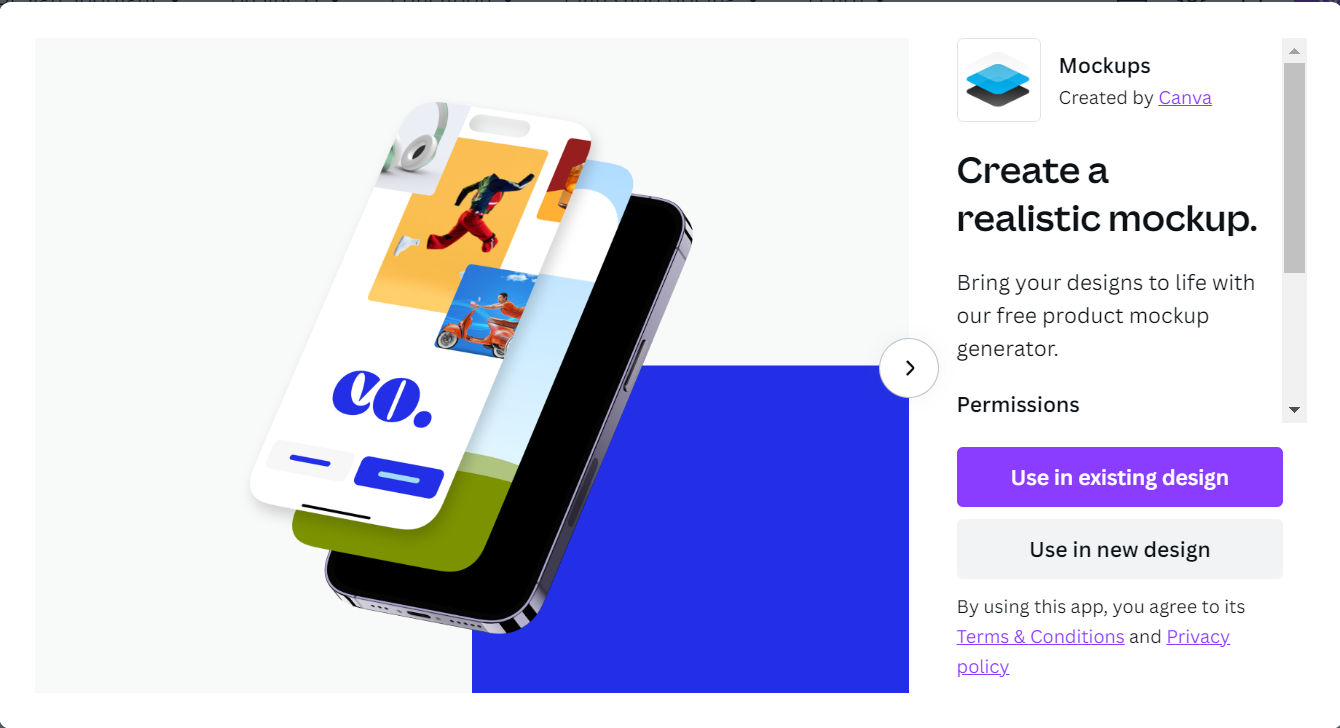
Hello, this is TheTechBoy with a special review.  Canva Mockup Generator is a tool that lets you mockup an image of digital devices, bags, pillows etc. It is really easy to use and it its pretty good at mockups. 1. Go To Canva Mockups     This is the  link . Select the type of post you are making on the right-hand side and create your design. This will open in a new tab.  2. Select Your Mockup     Your mockup is on the right side of the screen drag it onto your Canvas. Next, select a graphic or image in Canva and drag it into your image on the graphic that looks like this.           3. Edit And Publish     Create your content. Edit your image and download your mockup. This is really interesting and I hope to see a Canva-like software come offline someday. God Bless and Tech Talk To You Later 

We Know What X Is Already!!!

Image
Hello, this is TheTechBoy with a rant.       It has been about three months since Twitter rebranded to X. Now every article in the news when referencing 'X' will say, "Bob posted on X (formerly Twitter)....."  It is in every news article that you can see. Just search "on X formerly Twitter" in quotes or "formerly Twitter" in quotes in a search engine and you will see articles with these words.  Source BBC     Why?!!? We know what X is. It has been three months. The rebrand has probably been memed and criticized for months. This seems like a big trick journalists are pulling on us. Just stop it, please? What do you think?  God Bless and Tech Talk To You Later!!

Samsung's New Smart Tag Looks Like Dynamic Island!!

Image
Hello, this is TheTechBoy, and I'm thrilled to bring you a special article today! Source Tmobile and Samsung      Are you ready for the unveiling of the highly-anticipated Galaxy Smart Tag? Well, the wait is almost over as it's set to hit the market on October 10th, and this time, there's something new in store! No need for the pro version this time around because the base model now includes UWB technology. Let's dive right into the details.      The Smart Tag boasts a fresh and eye-catching design, taking on a sleek pill-shaped form. When oriented horizontally, it even bears a resemblance to Apple's 'new' dynamic island. But that's just the beginning of the exciting updates. The accompanying application has been revamped to showcase a fullscreen map, providing a more immersive experience for users. And when it comes to battery life, you won't be disappointed. The Smart Tag can last an impressive 500 days on a regular charge and a staggering 700 day...

Hey Alexa Dim Down We Are Trying To Sleep

Image
Hello, I'm TheTechBoy, and I've got something special to share with you.      Alexa really needs to introduce a screen-off or dimming option specifically for Silk browser usage. Let me break it down for you. As some of you may already know, I'm a devoted enthusiast of Christian Audio drama. In fact, we've dedicated an entire website to it (check it out at theodysseyboi.blogspot.com ) and have even delved into some tech analyses of how the technology behind Adventures in Odyssey and Kids Corner operates (or sometimes, fails to operate).      Now, here's the thing. We often tune in to Keys for Kids radio on Alexa, and that works just fine. However, when we want to enjoy a program like Down Gilead Lane, Kids Corner, or Adventures in Odyssey, we have to resort to using the browser. The issue? Well, the screen on the browser is extremely bright. It's fine during the day, but at night, when we're trying to listen, that bright blue screen becomes a problem, potent...

#MadeByGoogle ‘23: Keynote

Image

How To Put Microsoft Edge Mobile In Desktop Mode

Image
Hello, this is TheTechBoy with a tutorial.       If you have ever wanted to use a website the way it appears on a desktop computer or gain extra functionality of certain websites, you should force it to load in desktop mode. This is how you do it in Edge Mobile.                                               How To       Click The Hamburger Menu On the Right Of the Screen. Click that button. This will open a menu. Then click 'View desktop site.' This will cause the site to load in desktop mode. If you want it to load on mobile then do the same thing  but click the button that says 'View mobile site.' This will only be applied to one site.                                If you want all websites to load in desktop ...