How To Take Panarama To Samsung Phone
Title Added March 2 2023
Hello, this is TheTechBoy with how to take a panorama with your Samsung phone.

What Is a Panarama?
A panorama is a 360 degree image that is stitched together into one long image.
How to Take It.
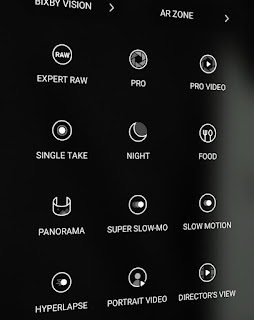
First open your Camera application. Then swipe to the text that says more. Then click the icon that says panarama. Next click the shutter button then move your phone slowly left to right


Comments
Post a Comment